Medical Providers · Practical Growth Guide
Google Business Profile for Medical Practices: An Optimization Checklist
Review medical practice Google Business Profiles for accurate information, appropriate structure, usable scheduling links, current photos, and ongoing ownership.
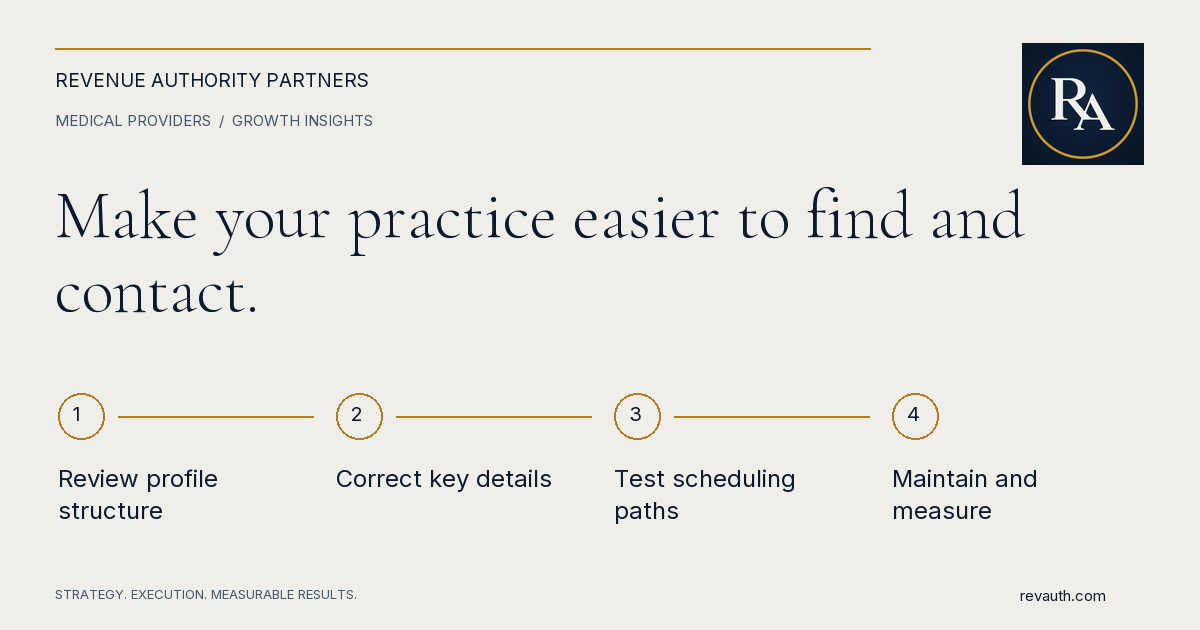
A Google Business Profile for a medical practice should help people identify the right office, understand the services offered, and find a dependable route to scheduling. Start with accurate information and appropriate profile ownership, then check categories, contact details, website destinations, hours, photos, and ongoing maintenance. Optimization is not a promise of a particular Maps position or appointment volume. It is a process for making the practice's public information useful and consistent. Keep clinical claims, patient privacy, and communication requirements within the practice's professional review process. A complete profile cannot compensate for a scheduling link that leads nowhere or a phone line nobody monitors.
Inventory profiles before making changes
Search for the practice, its locations, and public-facing practitioners to understand which profiles already exist. Record the profile addresses, displayed names, locations, and known ownership. Investigate an apparent duplicate before creating another listing. Multiple profiles with similar names can reflect different entities, an old location, or a genuine duplication problem. Check who has access and whether the practice controls the primary account. Give external helpers appropriate access rather than casually sharing a password. Document who approves edits and who takes over if an employee or vendor leaves. Routine maintenance should not depend on finding one former staff member. Create a change log before a cleanup. Record the current information, the correction requested, and its status. Some edits require review or verification, so an attempted change is not the same as a confirmed public correction. Check the visible result before marking an item complete.
Review eligibility and practitioner structure
Use Google's business representation guidelines to review the appropriate setup for the organization, locations, departments, and individual practitioners. A medical practice should not assume that every professional or service name requires a separate profile. Google has specific guidance for public-facing practitioners and shared locations. Match each profile to the real entity it represents. Have the practice review how its public names, address, and patient-facing operations relate to the proposed structure. If a professional changes offices or the practice changes locations, treat that as a managed information update rather than making a new listing by default. Avoid inventing a local presence or adding extra service phrases to a name merely to influence search. Profile structure should reflect the actual business and the current platform rules. When the situation is unclear, resolve it through the appropriate support and verification process before expanding the profile inventory.
Make core information accurate and consistent
Check the practice name, street address where applicable, phone number, website destination, and hours against the office's approved public information. Confirm suite details, entrances, and other location information with the team that receives patients. Small errors can create unnecessary calls and confusion before the appointment. Review regular and special hours. An office's administrative availability may differ from a clinician's schedule or an after-hours clinical service. Use the available fields appropriately and make the website explanation clear. Do not imply emergency coverage or walk-in availability unless the practice actually provides it and has approved the wording. Compare the profile with the corresponding website location page. The two should describe the same office and provide a coherent next step. Consistency is useful to people even before considering search visibility. Assign ownership for future changes so a holiday update or phone change does not leave the profile and website telling different stories.
Choose categories and service descriptions carefully
Select categories that accurately describe the business represented by the profile. Review the options currently available in the editor and choose based on the practice's actual services, rather than copying a competitor's setup. A category is a description, not an opportunity to claim a service the office does not provide. Write concise descriptions in language a prospective patient can understand. Explain the relevant services and location without unsupported superlatives, guaranteed outcomes, or clinical assertions that have not been reviewed. Keep the description aligned with the profile's entity and the destination page. Check proposed changes with the appropriate practice reviewers. Administrative marketing work should not redefine a clinician's credentials, scope, or availability. Maintain a record of approved wording that can also support website and directory updates, while allowing for the different fields and limits of each platform.
Connect the profile to a usable website and scheduling path
Send visitors to the relevant page for the office or service when appropriate. A person trying to reach a specific location should not have to work through unrelated pages to find its phone number or appointment instructions. Test the destination on mobile and verify that it loads correctly. If an appointment link is available and used, confirm what it actually does. Does it open a request form, a scheduling portal, or instructions to call? The public language should match that experience. An appointment request should not be presented as a confirmed booking unless the system actually confirms it. Use a permitted test process to check routing and notifications with staff. Avoid creating unwanted patient records or follow-up messages during marketing checks. Review our guide to medical websites that are not generating appointment requests for the broader path from a page visit to scheduling follow-through.
Use useful photos and maintain privacy
Choose current images that help people recognize the office, entrance, reception area, and relevant team members. Check image quality and cropping before uploading. A useful location photo can answer a practical question that a generic stock image cannot, such as where a patient should enter. Have the practice approve images and permissions. Review backgrounds for patient names, screens, paperwork, and other information that does not belong in public. An image taken in an office is not automatically suitable for publication simply because the people in the foreground agreed to be photographed. Maintain a replacement process for outdated images. A relocated office or a changed team can leave old visual information circulating after the text has been corrected. Assign periodic review to someone familiar with the location, rather than treating photo selection as a one-time launch task.
Handle reviews and public responses through an approved process
Set a practice-approved approach to review requests, monitoring, and responses. Do not fabricate reviews, buy favorable sentiment, or treat a patient's public comment as permission to disclose additional information. Ask the responsible reviewers to approve how staff handle sensitive or disputed situations. Keep responses general and direct individual concerns to an appropriate private channel. Avoid confirming a person's patient status, discussing care, or defending the practice with details from a record. A short public response should not become a clinical conversation or a disclosure of private information. Track who monitors the profile and who may respond. A negative review can require professional attention, but a rushed reply from an untrained employee can create a separate problem. Use a clear escalation process and keep patient-service resolution distinct from a marketing reporting exercise.
Measure activity without promising rankings
Google explains local ranking through relevance, distance, and how well-known a business is. Complete and accurate information helps Google understand the business, but no individual edit establishes a guaranteed position. Evaluate claims of a paid or certain organic ranking improvement carefully. Review available profile performance information alongside website activity and scheduling outcomes, using consistent definitions. A click, call interaction, appointment request, and attended visit are different events. Keep sensitive patient information out of marketing analytics and state the limits of attribution when connecting systems. Start with an accurate profile and a reliable contact path, then maintain a manageable review routine. RevAuth helps practices connect local search visibility, website conversion, and patient follow-through. To discuss coordinated, hands-on support, See if You Qualify.
Common questions
What should a medical practice check on its Google Business Profile?
Review ownership, eligibility and structure, business information, categories, hours, website and scheduling destinations, photos, and the process for maintaining and monitoring the profile.
Should every doctor have a separate Google Business Profile?
Do not assume so. Review Google’s current guidelines for individual practitioners, organizations, and shared locations against the actual patient-facing operation before creating or changing profiles.
Does profile optimization guarantee more appointments?
No. Local visibility, website usability, patient needs, scheduling availability, and follow-through all affect outcomes. A profile interaction is not the same as a completed appointment.
Share this guide
FacebookLinkedInPut the plan to work
Connect strategy with hands-on execution.
RevAuth helps law firms, medical providers, and established service businesses improve marketing, conversion, and the systems behind growth.
See if You QualifyRelated services
- Website Conversion Optimization
- Law Firm Intake & Patient Conversion Consulting
- Marketing Attribution & Performance Reporting
Continue reading
- How to Attract New Patients to Your Medical Practice: A Practical Growth Plan
- Local SEO for Medical Practices: A Checklist for Google Maps and Search Visibility