Law Firms · Practical Growth Guide
Law Firm CRM vs. Legal Intake Software: What Does Your Firm Actually Need?
Compare law firm CRM, legal intake software, and case management. Map requirements, test handoffs, and choose the capabilities your intake team needs.
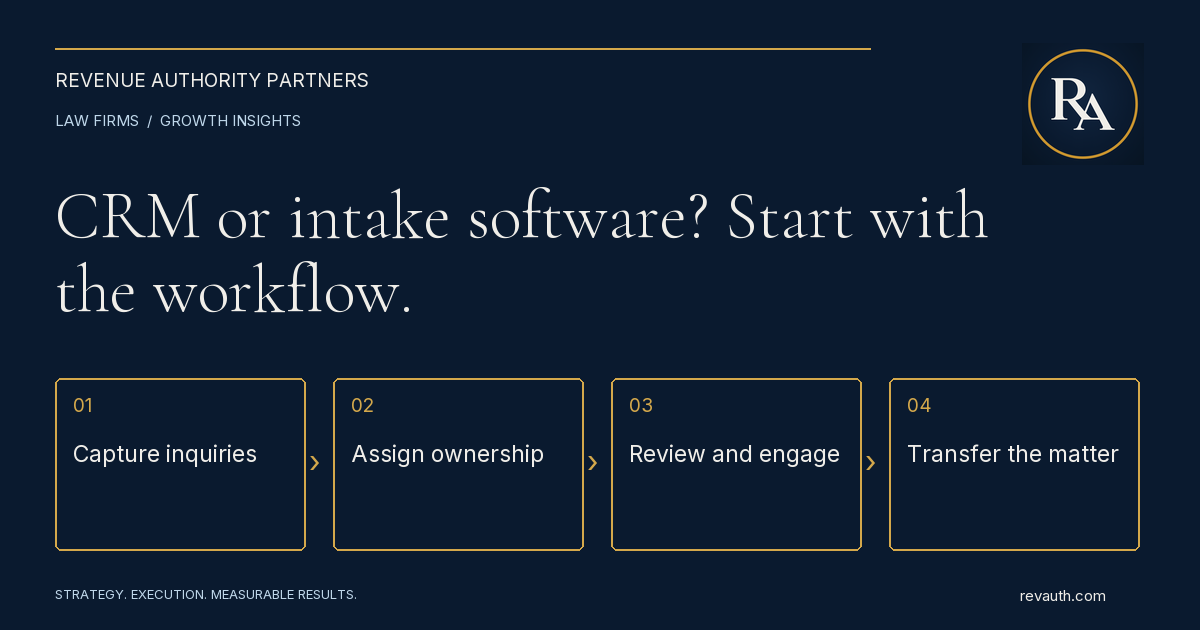
A law firm CRM manages relationships and the pipeline from first inquiry to engagement. Legal intake software manages the steps needed to evaluate and onboard a prospective client. Many products combine both. The right choice depends on where your firm loses track of people, information, decisions, or follow-up—not which category sounds more sophisticated.
Before you compare vendors, map how a real inquiry becomes an attorney-reviewed opportunity and, when appropriate, a signed client. Your software should support that process, preserve accountability, and pass accurate information to the team handling the matter.
What is a law firm CRM?
CRM stands for customer relationship management. In a law firm, the relationship may begin with a prospective client, referral source, former client, or professional contact. A CRM keeps those records connected to communication history, source information, responsible staff, next actions, and pipeline stages.
A practical CRM answers: Who contacted us? Where did the inquiry come from? Who owns the next step? What happened last? Which opportunities are waiting? What did each marketing source produce? A contact list alone cannot answer all of those questions reliably.
Legal software categories overlap. For instance, Clio describes Grow as legal CRM and client intake software. This is a useful reminder to compare actual workflows and capabilities rather than treating CRM and intake as mutually exclusive purchases.
What is legal intake software?
Legal intake software organizes the collection and processing of information before a matter enters the firm's active caseload. Depending on the product and configuration, that can include inquiry forms, screening questions, scheduling, document requests, follow-up, engagement paperwork, and a handoff to case management.
The operational question is whether the system helps staff move each inquiry through the firm's approved steps. A completed form should not automatically mean an accepted case. Required attorney review, conflict procedures, and engagement decisions need clear ownership and appropriate controls.
Intake also needs a path for people who cannot complete the normal process. Someone may call rather than submit a form, have missing documents, need language assistance, or require a callback. Test those situations during evaluation instead of judging software only by the smoothest demonstration.
CRM vs. intake vs. case management
Think about three connected responsibilities. CRM maintains relationships and pipeline visibility. Intake manages evaluation and onboarding. Case management supports work after engagement, including matter records, tasks, deadlines, documents, and other practice-specific operations. Individual products may cover more than one responsibility.
- CRM priority: track inquiries, relationships, referral sources, communication history, stages, and next actions.
- Intake priority: collect appropriate information, route reviews, coordinate appointments, obtain documents, and manage onboarding steps.
- Case-management priority: transfer accepted matters into the system used for legal work without losing context or creating duplicate records.
Ask every vendor where its responsibility stops. If a salesperson says the product “integrates with everything,” ask to see the exact fields, attachments, events, and errors that cross the connection. A logo on an integrations page does not establish that your required workflow is supported.
Identify the problem before choosing the system
Review a manageable set of recent inquiries from different channels and outcomes. Include signed clients, declined inquiries, people who stopped responding, and records still waiting for action. Trace each one from its original source through the last documented step.
If staff cannot identify the owner or next action, prioritize CRM discipline. If information is incomplete or reviewers repeatedly request the same documents, prioritize intake design. If accepted clients are retyped into another system, prioritize the handoff. Some firms will need all three improvements, but the first constraint should determine the implementation sequence.
Do not mistake a process gap for a missing feature. A reminder engine cannot fix an undefined follow-up policy. A dashboard cannot reconcile inconsistent stage definitions. Document what should happen, who decides, and what evidence shows completion before configuring automation.
Build a requirements list around one real workflow
Write a short acceptance checklist that follows an inquiry through your firm. Use test records rather than prospective-client information in a vendor demonstration. The vendor should show the workflow, and your intake team should explain whether it matches daily work.
- Capture: record a phone, website, or referral inquiry with the source preserved and duplicates flagged for review.
- Assignment: give the inquiry a named owner and an appropriate next-action date.
- Screening: collect the firm's approved information and route decisions to the correct reviewer.
- Follow-up: record attempted contacts, responses, appointments, and reasons the inquiry remains open.
- Engagement: track required paperwork and approval without confusing sent documents with completed engagement.
- Handoff: transfer the accepted record and relevant materials into case management with confirmation and an error path.
For each step, specify what staff must see, what they must enter, and what the system should prevent or flag. This creates a fair comparison even when competing products use different terminology.
Test integrations, permissions, and data ownership
An integration should be evaluated as a working process. Ask whether updates are one-way or two-way, what triggers a transfer, how duplicates are handled, and which system becomes the authoritative record. Confirm how failed transfers are surfaced and who resolves them.
Vendor partnerships illustrate why this matters. Lawmatics describes a direct integration with Filevine to connect intake and case-management workflows. That does not establish suitability for every firm; your team still needs to test its specific records, fields, and handoff rules.
Review role-based access, administrator privileges, export options, activity history, retention controls, and the process for removing access when a staff member leaves. Ask what is included in an export: contacts alone, or also notes, source fields, communications, attachments, and stage history? Document answers before signing a contract.
Protect prospective-client information
Intake records can contain sensitive information even when the firm never accepts a matter. Have the responsible attorney approve what the firm requests, who can access it, how conflicts are reviewed, and when information moves between systems. Keep public marketing forms focused on what is necessary for the next step.
Use approved test data for setup and training. Confirm permissions before migrating records, limit administrator access, and identify who handles a misrouted message or an unintended disclosure. Automated messages should accurately describe the next step and avoid implying that the firm has accepted representation before its engagement process is complete.
These are operational evaluation points. The firm's attorneys should determine the professional obligations and jurisdiction-specific requirements that apply to their practice and configure the workflow accordingly.
Compare the full cost of implementation
Subscription price is only part of the decision. Request a written scope covering setup, migration, integrations, staff training, support, additional users, messaging usage, and ongoing administration. Ask which capabilities require a higher plan or separate paid service.
Include internal time. Someone needs to define stages, clean records, approve templates, verify permissions, train staff, and maintain the process after launch. If no one owns those tasks, a lower-priced subscription can still become an expensive collection of incomplete records.
Compare products against the same requirements and planning period. A practical evaluation records the required capability, evidence from the demonstration, total expected cost, implementation owner, and unresolved issue. Avoid selecting a platform because it has the longest feature list when staff cannot consistently perform the essential workflow.
Roll out the system in controlled stages
Start with the smallest complete process that the team can operate reliably. Define stages and required fields, configure access, test routing, and train the people responsible for each handoff. Confirm that a record can reach a documented outcome before expanding to more channels or automation.
Keep a clear transition plan for open inquiries. Decide which records will migrate, how their current status will be validated, and when the new system becomes authoritative. Running two disconnected lists indefinitely makes ownership and reporting harder to trust.
After launch, review a sample of records with the intake team. Look for missing sources, overdue actions, duplicate contacts, incorrect stage changes, and failed transfers. Fix the workflow before adding more notifications. Too many reminders can conceal the action that actually needs attention.
Measure whether the system improves intake
Use definitions the team can apply consistently. Distinguish an inquiry from a qualified opportunity, a scheduled consultation from an attended consultation, and an engagement document sent from a completed engagement. Record why inquiries are declined or closed where appropriate.
Review response times, overdue actions, stage progression, time waiting for review, and signed-client outcomes by source. Compare periods with similar practice areas and inquiry mix, and note changes in staffing, marketing, or acceptance criteria. A change in conversion alone does not prove the software caused it.
Connect this review to your law firm marketing ROI reporting and intake conversion process. The objective is a trustworthy view from inquiry to outcome, supported by a process staff can actually use.
Decide what your firm needs next
Choose the CRM capabilities that solve relationship and pipeline problems, the intake capabilities that solve evaluation and onboarding problems, and the integrations that preserve an accurate handoff. One platform may cover the full requirement; multiple connected systems may fit better. Verify the workflow either way.
RevAuth helps law firms align CRM implementation, intake conversion, and reporting with hands-on execution. If your firm needs help turning disconnected tools into a working growth process, See if You Qualify.
Common questions
Does a law firm need both CRM and intake software?
It needs the capabilities that support its workflow. A single product may cover relationships, pipeline tracking, and intake; connected systems may also work. Test the full inquiry-to-engagement process before deciding.
Can case management replace legal intake software?
Some case-management platforms include intake capabilities. Confirm whether they support inquiry tracking, source information, follow-up, screening, and the handoff your firm requires.
What should we test during a software demonstration?
Use approved test records to trace capture, ownership, screening, follow-up, engagement, and transfer. Check permissions, duplicate handling, failed integrations, and data export as well as the normal path.
Share this guide
FacebookLinkedInPut the plan to work
Connect strategy with hands-on execution.
RevAuth helps law firms, medical providers, and established service businesses improve marketing, conversion, and the systems behind growth.
See if You QualifyRelated services
- CRM Implementation & Optimization
- Law Firm Intake & Patient Conversion Consulting
- Marketing Attribution & Performance Reporting
Continue reading
- How Much Should a Law Firm Spend on Marketing? A Budget Planning Guide
- How to Improve Your Law Firm’s Intake Conversion Rate