Law Firms · Practical Growth Guide
Law Firm Website Redesign: What to Fix Before You Rebuild
Before a law firm website redesign, review content clarity, mobile contact paths, search assets, redirects, measurement, and launch responsibilities.
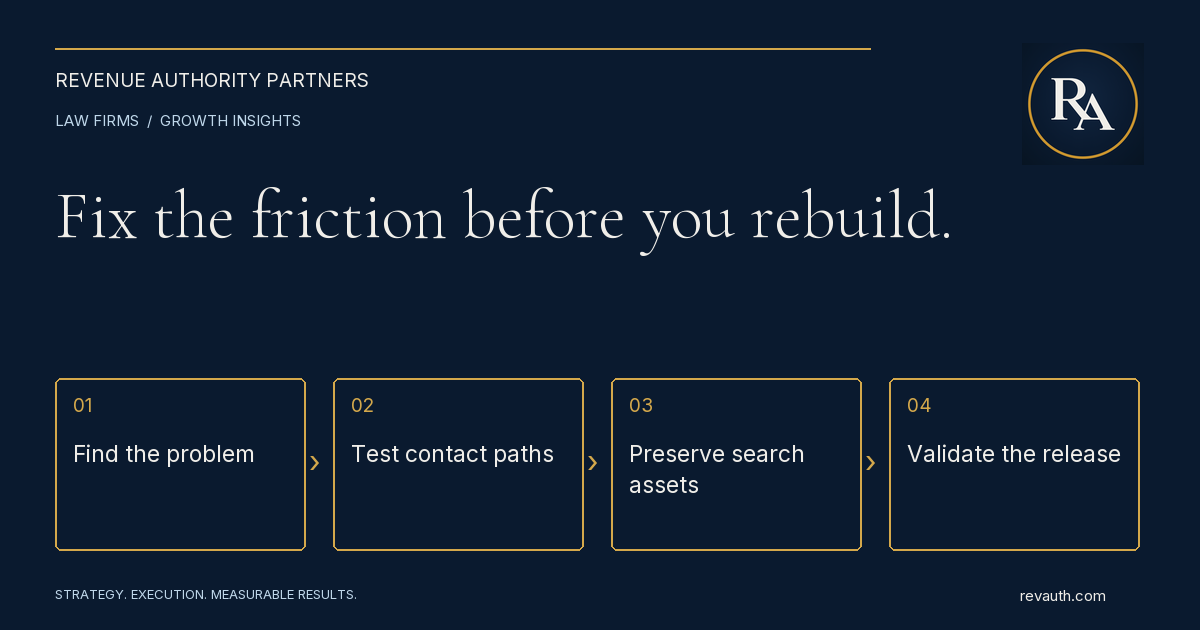
Before a law firm website redesign, check whether the current site clearly explains the firm's services, gives visitors a usable path to contact intake, and preserves the search visibility and measurement already in place. A redesign can solve real structural problems, but a new appearance alone does not establish that the firm will receive better inquiries. Start with evidence from the existing pages and the intake process. Separate improvements that can be made now from changes that require a rebuild. The resulting brief should describe the business problem, the content and functionality needed, and the checks required before launch.
Diagnose the problem before choosing a new design
Write down what is failing. Are prospective clients unsure which matters the firm handles? Are important service pages hard to find? Do mobile visitors struggle to call or complete a form? Does the intake team receive inquiries outside the approved practice scope? Each issue suggests a different kind of work. Review a sample of inquiries alongside the pages and sources involved, using appropriate access and privacy safeguards. A weak response process can affect outcomes even when the website is usable. A redesign should not become the assumed solution to a problem that begins after the inquiry arrives. Create a short priority list with evidence and an owner for each item. Distinguish confirmed defects from preferences. A broken phone link is a defect. A preference for a different shade of blue may matter to the brand, but it should not displace a problem that prevents someone from contacting the firm.
Clarify services and audience on the existing pages
Ask whether a person can quickly understand what the firm does, where it works, and how to take the next step. Review the homepage and the pages people actually enter through search or campaigns. A visitor arriving directly on a practice-area page may never see the explanation on the homepage. Check headings, introductory copy, navigation labels, and contact instructions. Replace vague descriptions with accurate service information approved by the responsible attorneys. Keep legal claims, credentials, locations, and representations about results within the firm's advertising review process. Use the content review to define the redesign's requirements. If the current pages are thin or unclear, transferring them into a new template will preserve the same information problem. Decide which pages need substantive revision, which should be retained, and who will review the content before design production begins.
Test the mobile contact path
Open important pages on a phone and follow the journey a prospective client would take. Check the menu, text size, phone links, contact buttons, and form fields. Confirm that floating elements do not cover the content or the submission controls. Test more than the homepage. Use a permitted test process to verify where a submission goes and who receives it. Coordinate any production testing with the firm's team so a test does not create a misleading intake record or trigger unwanted follow-up. Document success messages, error handling, and what the person is told to expect next. Review forms for clarity and accessibility. The W3C guidance on labeling controls explains the importance of associating labels with form fields. Clear instructions and understandable errors also help people complete the process. A visual redesign is an opportunity to address these details, but they can often be improved before a full rebuild.
Inventory the pages and search assets you already have
Create a list of current URLs, titles, important content, internal links, and assets. Identify pages that receive relevant search traffic, referrals, or campaign visits. Include pages that are deliberately excluded from indexing, private workflows, and any downloads or forms that require special handling. Do not assume a page is disposable because it looks dated. It may answer a useful question or receive relevant visits. Equally, do not preserve every page without review. The goal is to make informed decisions about content and destinations instead of discovering after launch that useful information disappeared. Record the systems connected to the site: analytics, verification tags, call tracking, forms, intake integrations, and any protected resources. Assign a person to confirm that each required function is preserved. A page can look correct while a notification or routing function has stopped working.
Plan URL changes and redirects deliberately
A new design does not automatically require new URLs. Where existing addresses still fit the content, retaining them can simplify the transition. If a page must move, map its old address to the most relevant new destination and include that mapping in the launch plan. Google's site-move documentation explains how to manage URL changes, including redirects and monitoring. Avoid sending many unrelated old pages to the homepage. A visitor following an old service link should reach information that meaningfully matches the original intent. Check the new internal links, canonical addresses, sitemap, and indexing settings as part of the migration. Test important redirects directly and avoid unnecessary chains. Search visibility can fluctuate during a move; a launch plan should include monitoring and a way to resolve defects, rather than promising that changing the site carries no search risk.
Fix measurement before judging conversion
Agree on what the firm means by a website inquiry, a relevant opportunity, a consultation, and a signed client. Check whether the existing reporting supports those definitions and whether source information survives the handoff into intake. A form event alone does not establish inquiry quality. Keep sensitive prospective-client information out of analytics events and advertising dashboards. Measurement design should be reviewed alongside the firm's privacy and intake procedures. Useful reporting does not require sending a person's case narrative into every marketing tool. Record a reasonable baseline before launch and document other changes occurring at the same time. Staffing, response coverage, advertising, and practice scope can affect outcomes. Compare evidence with those limitations in mind. Our law firm marketing ROI guide explains how to keep cost and outcome definitions consistent.
Turn the findings into a concrete project scope
A redesign brief should list the required pages, approved content responsibilities, navigation, contact paths, integrations, and launch checks. Specify who supplies images and biographies, who reviews legal content, and who implements technical corrections. Include mobile and accessibility requirements in the work from the beginning. Separate essential launch requirements from later improvements. A working contact path, accurate service information, and preserved routing should not depend on a future phase with no assigned owner. Conversely, an optional visual enhancement should not delay a necessary repair that can be completed safely on the current site. Ask proposals to describe deliverables, dependencies, approval points, and ongoing maintenance. Confirm ownership of accounts, files, and access. The firm should understand what is included and how the site will be supported after launch, rather than discovering that routine updates require a separate unplanned project.
Validate the launch and keep improving
Review a permitted preview on desktop and mobile before replacing the live site. Check the important page templates, menus, images, forms, links, metadata, redirects, and any protected workflows. Have the responsible reviewers approve the content and contact process. Record unresolved issues rather than assuming a successful build means every feature works. After launch, verify the live pages and systems again. Watch for missing pages, broken destinations, indexing mistakes, and gaps in the intake handoff. Keep a short issue log with an owner and resolution status. A redesign is a release that needs validation, not the end of website management. RevAuth helps firms connect website conversion improvements, law firm search visibility, and intake processes. If your firm needs a practical assessment of what to repair and what to rebuild, See if You Qualify for hands-on support.
Common questions
Should a law firm redesign its website or improve the existing site?
Start with the problem. Content clarity, contact defects, and measurement gaps may be repairable on the current site. A rebuild makes more sense when the structure or technology cannot support the requirements.
Can a redesign affect law firm SEO?
Yes. Content removal, URL changes, redirects, internal links, and indexing settings can affect visibility. Inventory the current site and plan and test the migration before launch.
What should be checked before a redesigned site goes live?
Review approved content, desktop and mobile layouts, navigation, contact paths, integrations, metadata, redirects, indexing settings, and any protected workflows. Verify the live site after release as well.
Share this guide
FacebookLinkedInPut the plan to work
Connect strategy with hands-on execution.
RevAuth helps law firms, medical providers, and established service businesses improve marketing, conversion, and the systems behind growth.
See if You QualifyRelated services
Continue reading
- Law Firm CRM vs. Legal Intake Software: What Does Your Firm Actually Need?
- How Much Should a Law Firm Spend on Marketing? A Budget Planning Guide