Medical Providers · Practical Growth Guide
How to Reduce Patient No-Shows Without Creating More Work for Staff
Reduce patient no-shows with clearer booking, useful reminders, easy rescheduling, accountable follow-up, and measurement that includes staff workload.
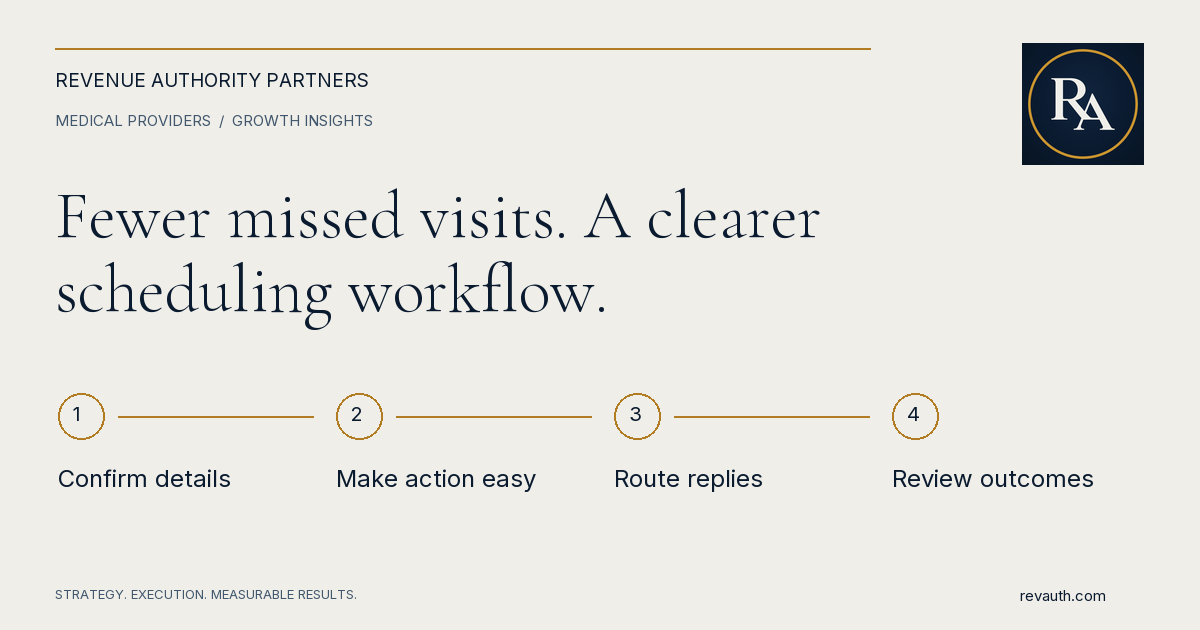
Reducing patient no-shows starts with a reliable scheduling process: accurate contact information, clear appointment instructions, useful reminders, an easy way to cancel or reschedule, and a defined response when someone cannot attend. The aim is to remove avoidable friction while giving staff fewer disconnected tasks to manage.
More messages are not automatically better. A reminder that reaches the wrong number, offers no practical next step, or creates an unmonitored reply can add work without helping the patient. Before buying another system, trace the journey from booking to completed visit and identify where the process breaks.
Define a no-show before measuring improvement
Agree on appointment statuses with scheduling and clinical leadership. A no-show, a cancellation with adequate notice, a late cancellation, a rescheduled appointment, and a practice-initiated cancellation describe different events. Combining them can conceal the problem you need to solve.
Document the denominator too. Your operational no-show rate might divide missed appointments by appointments expected to occur in the reporting period, using an explicitly stated rule for cancellations. Whatever definition the practice adopts, apply it consistently and retain the underlying counts so the rate can be reconciled.
Segment carefully. New and returning patients, locations, visit types, lead times, and appointment times may have different patterns. Use these categories to investigate access barriers and workflow problems, rather than assuming every missed appointment reflects the same behavior.
Find the work patients are struggling to complete
Ask scheduling staff to describe the questions they answer repeatedly. Review a small sample of missed appointments and recent patient feedback using the practice's approved access controls. Look for unclear locations, difficult parking, transportation problems, misunderstood preparation, outdated contact information, or trouble changing an appointment.
Do not treat a reason as established unless the patient or a reliable record supports it. “No response” is different from “forgot.” Keep unknown reasons visible. A respectful follow-up can help identify a correctable barrier without turning the conversation into an accusation.
Record workflow findings in aggregate when discussing marketing and operations. Names, diagnoses, and other personal details do not belong in a general growth dashboard. The useful business question is which process change would make attendance or timely cancellation easier.
Make booking instructions clear the first time
At booking, confirm the location, date, time, visit type, and the appropriate way to ask questions. Explain any arrival or preparation requirements through a practice-approved process. Patients should not have to interpret inconsistent information from a website, confirmation message, and staff member.
Check that links lead to the correct location or scheduling flow. For telehealth, make the connection instructions and support path clear. For an in-person visit, consider whether the address identifies the correct building, suite, entrance, and any practical access information the practice can accurately provide.
Review contact details and communication preferences through the authorized scheduling system. A number entered years ago may no longer be useful. Staff need a simple way to correct a delivery failure and update the relevant record without maintaining a separate spreadsheet.
Design reminders around an action
A useful reminder should help the patient understand the appointment and take the next appropriate step. Depending on the approved workflow, that may be confirming, requesting a callback, or using a secure route to cancel or reschedule. Make the available action explicit.
NHS England's operational guidance on reducing missed outpatient appointments emphasizes reminders alongside easy cancellation and rearrangement. That guidance comes from England's health system; the practical workflow idea can inform evaluation without supplying a benchmark for a US practice.
Choose timing based on your appointment lead times, scheduling capacity, and observed patient needs. Avoid assuming one universal reminder sequence works for every specialty. Test a manageable change, monitor replies and attendance, and adjust based on evidence rather than adding messages indefinitely.
Keep privacy and communication controls in the workflow
HHS states that appointment reminders are part of treatment and may be made without a HIPAA authorization. That does not mean every messaging configuration, vendor, or disclosure is appropriate. Have the practice's privacy and compliance leads review the actual system and communication process.
HHS also advises limiting information in messages and accommodating reasonable confidential communication requests. Review what appears in a text preview, voicemail, or shared inbox, and how staff record a patient's communication preferences.
Keep clinical instructions and sensitive replies in the practice's approved channels. Do not copy patient information into general marketing tools merely because those tools offer automated messaging. Evaluate applicable requirements and vendor arrangements before changing the communication system.
Give replies a clear owner
Automation needs a human destination. If patients can reply, who monitors the queue, during what hours, and how are responses categorized? A confirmation, cancellation request, scheduling question, and clinical concern need different next steps.
- Route scheduling requests to staff who can actually change the appointment.
- Define coverage and an escalation path when the normal owner is unavailable.
- Use approved instructions for clinical or urgent messages and make channel limitations clear.
- Reconcile delivery failures and unresolved replies in a shared work queue.
- Close the loop in the scheduling record so staff do not repeat work already completed.
Avoid promising immediate responses if the queue is only staffed during business hours. A well-designed acknowledgment sets accurate expectations and directs the patient to the appropriate channel for their need.
Make cancellation and rescheduling manageable
A patient who cannot attend should have a clear way to tell the practice. If cancellation requires repeated phone calls, the practice may learn about the opening too late to respond. Test the process from the patient's perspective, including evenings and weekends.
Where approved self-service is available, check what it can and cannot change. A request may still require staff review because of visit length, clinician availability, preparation, or clinical considerations. Explain that distinction so patients do not mistake a request for a confirmed replacement appointment.
Establish how released appointments become available again. If the practice uses a waitlist, define eligibility and outreach ownership within the scheduling system. Avoid creating competing promises for the same slot or asking staff to manage a second unofficial calendar.
Reduce manual work before expanding automation
Map each recurring staff task: checking tomorrow's schedule, calling unconfirmed patients, correcting contact records, responding to cancellations, and recording outcomes. Identify duplicate entry and disconnected queues before adding another reminder platform.
Start with one complete workflow that can be tested end to end. Verify the trigger, message, patient action, staff queue, scheduling update, and exception path. Use approved test records rather than real patient information during configuration and demonstrations.
A system that sends reminders successfully but fails to update the appointment can create conflicting instructions and extra calls. Require a visible error process for failed integrations. Staff should know which record is authoritative and who resolves a mismatch.
Respond consistently after a missed appointment
Have leadership approve the follow-up process and any attendance policy. Staff need clear instructions about who contacts the patient, what they should document, and when clinical review is needed. Keep the tone respectful and focused on the next appropriate step.
Do not automatically assume a missed visit should be rebooked in the same way. The clinical team should determine any care-related follow-up requirements. Operational automation should support those decisions rather than making them independently.
If the practice is considering fees or other policy changes, assess the applicable requirements, payer arrangements, patient access implications, and communication process with the appropriate advisers. A growth workflow should not quietly introduce a new financial or clinical policy.
Run a focused improvement review
Choose a comparable baseline period and a clearly defined test. Track appointment counts, no-shows, timely cancellations, rescheduling, delivery failures, unresolved replies, and staff time spent managing the workflow. A falling no-show rate is more useful when you also understand what happened to completed visits and administrative work.
Document changes in clinician capacity, visit mix, seasonality, or scheduling rules that may affect the result. Do not attribute every difference to the latest reminder. Review the findings with the people doing the work and agree on one next improvement.
Connect attendance management with your broader patient acquisition plan and patient acquisition cost reporting. Booking more appointments has limited value if the practice cannot support the journey through a completed visit.
RevAuth helps medical providers align intake and conversion, automation, and performance reporting with practical execution. To explore the operational constraints behind your practice's growth, See if You Qualify.
Common questions
What is the first step to reduce patient no-shows?
Define the appointment outcomes you measure and trace the booking-to-visit process. Check contact details, instructions, reminder delivery, and how patients cancel or reschedule before adding another tool.
How many appointment reminders should a practice send?
There is no universal sequence for every practice. Choose an approved approach based on appointment lead times and patient needs, then monitor attendance, message responses, delivery failures, and staff workload.
Can automation handle every appointment reply?
No. Scheduling requests need a responsible queue, while clinical concerns need the practice-approved clinical process. Test routing and escalation and make channel limitations clear.
Share this guide
FacebookLinkedInPut the plan to work
Connect strategy with hands-on execution.
RevAuth helps law firms, medical providers, and established service businesses improve marketing, conversion, and the systems behind growth.
See if You QualifyRelated services
- Law Firm Intake & Patient Conversion Consulting
- AI Agents & Workflow Automation Services
- Marketing Attribution & Performance Reporting
Continue reading
- How to Attract New Patients to Your Medical Practice: A Practical Growth Plan
- Local SEO for Medical Practices: A Checklist for Google Maps and Search Visibility